



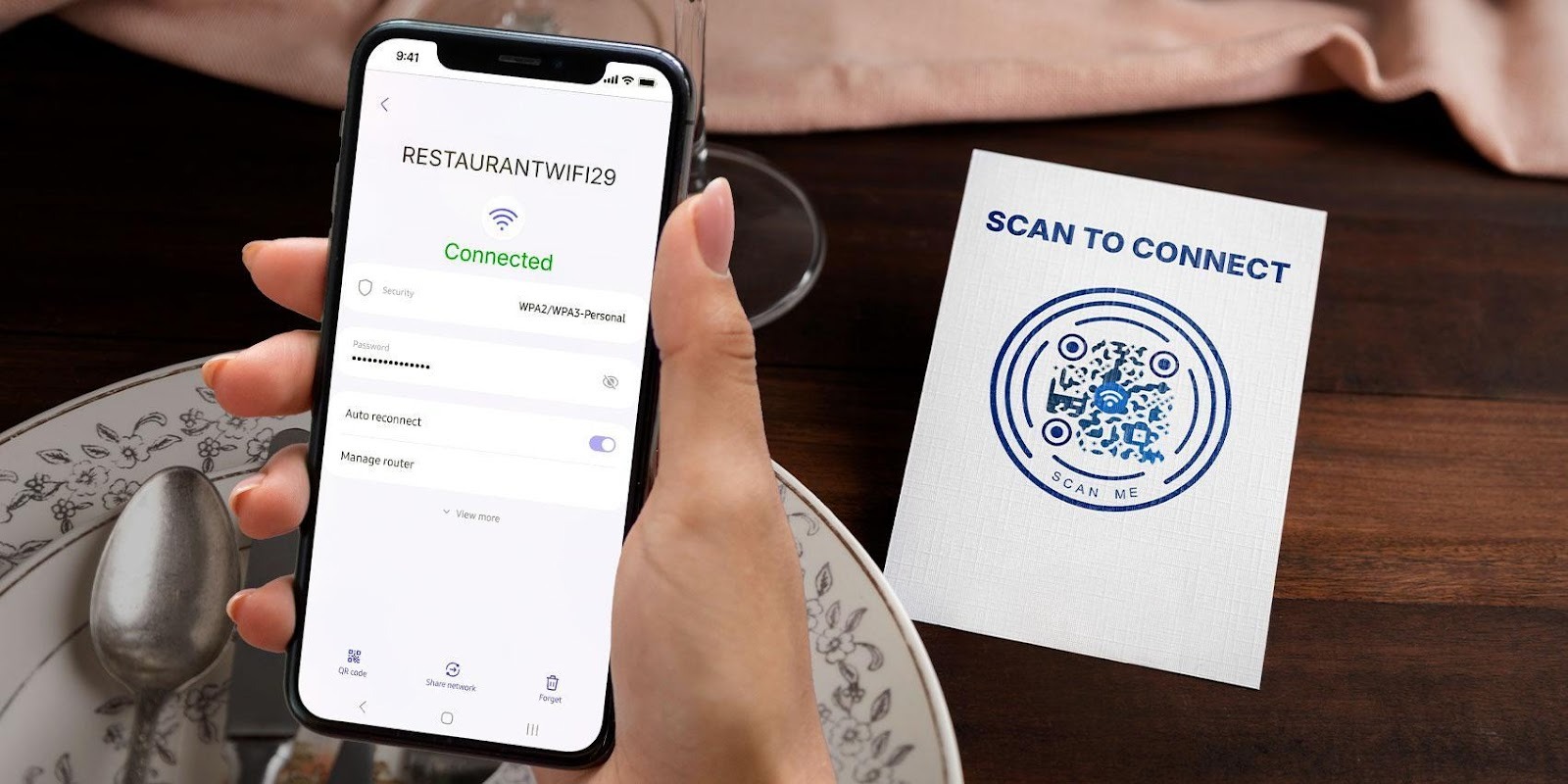
We know how crucial seamless Internet connectivity is. Almost everything we do is now doable online. Some of them even only work on the web.
Yet, despite the essential nature of Internet access to our lives, the process of getting people online still feels outdated and unnecessarily complicated.
We invest in fast Internet and customer experience, but in the end? We rely on manual Wi-Fi sharing, which creates bigger issues than we realize.
Staff members repeat instructions and troubleshoot the same mistakes, meetings start late because someone can’t connect, and customers feel inconvenienced before we’ve even had a chance to serve them.
Tolerating this kind of friction simply no longer makes sense in this day and age, when convenience is always expected. And most especially when there are other, more convenient methods to fix it, such as using WiFi QR codes.
These are smartphone-scannable 2D barcodes that cut the hassle of spelling out a WiFi password letter by letter. We can just scan it with our smartphones and connect instantly. It’s that easy.
Let’s learn how to make a QR code for WiFi and use it to make life easier for everybody.
How a WiFi QR code works
A QR code for WiFi permanently stores the basic details of an Internet network. These include the network name (SSID), the password, and the encryption type.
Our devices usually prompt us to enter the password. But with a QR code, we can skip this part.
The device's camera reads the data, fills in all the necessary information, and connects the device to the network straight away. One quick scan and you’re in.
This works seamlessly across modern devices, including Android phones, iPhones, tablets, and even premium smartphones like iPhone Pro models and Samsung Galaxy S series, which come with built-in QR scanning features for faster connectivity.
How to create QR code for WiFi in 2 minutes
We don’t need to be techy to make one. All we need is a QR code generator. Here’s the simple process:
1. Go to a FREE WiFi QR code generator online.
2. Type your network name, password, and encryption type.
3. Hit generate and design the QR code.
4. If it looks good, do a test scan first.
5. If it connects properly, download and print it.
Note: The key step many people skip is testing. So always test. We don’t want to discover an issue right when a customer or guest is trying to connect.
Ideal places to use a WiFi QR code
Just like anything else, placement matters for QR codes. Particularly, the WiFi QR code should be visible, logical, and easy to reach (at eye level if possible).
What we love the most about this tool is how effortlessly it fits into our workflow, such as at:
Home
We can stick the QR code on the fridge. Guests always end up there anyway.
Placing it near the TV, entryway, or living room is also ideal when using it at home.
Cafes and restaurants
Displaying the QR code for free WiFi on menus, table tents, counters, and even on the wall by the entrance is also effective.
People usually want WiFi the moment they sit down, so it helps to make the code easy to find.
Hotels
The lobby, reception area, elevators, hallways, and room desks are great spots to place the WiFI QR code for hotels and resorts.
Having a QR code for WiFi saves busy front desk staff from having to share passwords with guests repeatedly throughout the day.
Corporate offices
Meeting rooms, reception desks, break rooms, and shared desks are ideal areas to place a QR code for WiFi access.
It speeds up onboarding for employees, lessens connectivity-related interruptions during meetings, and helps visitors get online quickly and easily.
Public spaces
This includes parks, libraries, transport stations, malls, and community centers.
People appreciate free and quick Internet access, especially when they need to check schedules, maps, or rest spots.
Events and conferences
Attendees usually want to connect as soon as they arrive at an event. We can place WiFi QR codes on registration desks, signage, designated seats, and speaker podiums.
Having the QR code visible at every major checkpoint keeps people from crowding the registration line or walking around asking for passwords.
Co-working spaces
These spaces often accommodate individuals who require a dedicated area for studying or working. And a feature that shouldn’t be missing is free WiFi.
To make connecting to it easier, we can put a QR code on shared desks, in common areas, and in meeting rooms. It avoids confusion about which network to join and keeps everyone productive.
Schools and universities
Classrooms, libraries, student lounges, and cafeterias are excellent spots. Students and staff can connect quickly without needing to constantly ask the librarian or IT personnel for access.
Try placing one on a library table and see how it improves students’ and faculty’s experience when accessing online resources and more.
Retail stores
Although it’s not a common practice, our retail stores can also offer free WiFi to customers.
We can display a QR code for it near checkout counters, fitting rooms, or common seating areas.
Customers scanning it can browse our online stores, leave reviews, or tag our locations. It’s free marketing while they wait.
Why businesses should seriously consider using QR codes for WiFi
It’s easy to assume a QR code is just a small convenience, but it actually helps in several areas that businesses care about.
Less repetition, more efficiency: Instead of spelling out passwords dozens of times a week, the QR code handles the work. That means fewer interruptions, fewer mistakes, and more time to focus on customers.
Safer than handing out the password: Sharing a password on paper or posting it openly makes it harder to control access. With a QR code for the WiFi password, customers can connect without needing to expose the password. We can maintain control over our network security.
Better customer experience: Quick WiFi access puts people in a good mood. It’s the digital equivalent of offering them a seat and a glass of water. They settle in. They enjoy their stay. They stick around longer.
Encourages repeat visits: People remember places that make things easy. A smooth WiFi experience leaves a subtle positive impression. If they’re choosing between two cafes next week, the one with convenient WiFi might win.
Extra visibility: When people get online faster, they browse, post, tag, review, and engage in conversations. Our space becomes part of their online activity. It’s a passive way of gaining exposure without incurring ad costs.
Make WiFi access quick and hassle-free for everyone
We’ve reached a point where typing long WiFi passwords feels like resurrecting an old ritual, one we’d rather quit.
Sharing internet access through a WiFi QR code just feels smoother. No awkward spelling-out. No guessing if that last character was a zero or an O.
For our teams, it means fewer interruptions. For our clients and guests, it means a smoother, more modern experience. And for our business, it signals professionalism — a subtle yet powerful indicator that we value efficiency and user experience above all else.